Why Your Old Blog Posts Are Losing Traffic — and How to Fix Them
You published a blog post, optimized it for SEO, added images, and waited for Google to send visitors. For a while, everything looked promising. Your article started getting impressions, clicks increased, and your SEO efforts seemed to be paying off.
Then something changed.
The same article that once brought visitors every day now receives fewer clicks. Its rankings begin to slip, and a post you worked hard on gradually loses visibility.
This problem is often called content decay: the gradual decline in a page’s organic traffic or search visibility over time.
An old blog post does not automatically become useless just because it is old. Sometimes the information is outdated. Sometimes competitors have published better resources. In other cases, search intent has changed, or your article no longer answers what people want to know.
In this guide, you will learn how to identify the real cause of declining traffic and improve existing content without rewriting every article on your website.
1. What Is Content Decay, and Why Should You Care?
Content decay happens when a previously useful page gradually loses organic traffic, search rankings, or visibility.
Imagine you published an article in 2024 titled “How to Optimize Your Website for AI-Powered Search.” Initially, it attracted visitors because the topic was relatively new and your guide answered questions that people were asking.
Over time, competitors published more detailed resources, new tools appeared, and searchers began looking for different examples and practical advice. Your original article might still contain useful information, but it no longer covers everything readers expect.
That is one way content decay begins.
In its guide to content decay and declining organic traffic, Ahrefs discusses why pages can lose traffic over time and why identifying the cause matters before updating content.
The problem matters because publishing another blog post is not always the best response. You may already have a page with useful information, existing backlinks, and a history of appearing in Google.
Improving that page could be a better use of your time than starting from zero.
For example, if an existing article about AI-powered search has lost traffic, review its performance and identify missing information before publishing another article about almost the same topic.
You can also connect related articles naturally. Readers interested in this subject may benefit from your existing guide on how to optimize your website for AI-powered search.
Similarly, your article about how to track AI search visibility for your website can help readers explore a related aspect of measuring website performance.
The goal is not to update every old post simply because it has been online for a long time. The goal is to identify which pages have lost value, understand why, and decide whether they deserve an update.
2. How to Identify Which Blog Posts Are Losing Traffic
Before changing a title, adding paragraphs, or updating the publication date, find out what is actually happening.
One of the most useful free tools for this task is Google Search Console.
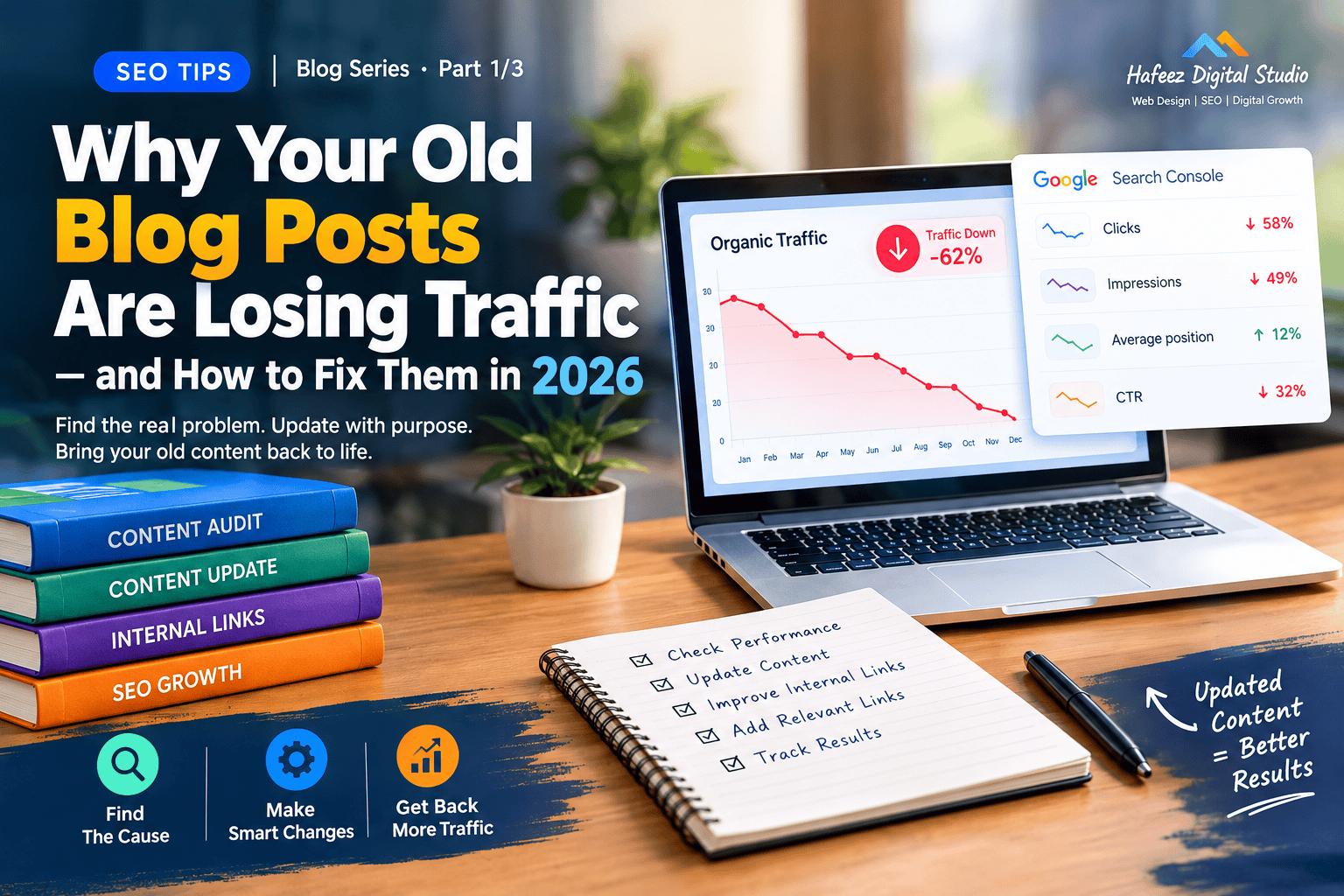
Open Search Console, select your website, and navigate to Performance → Search results. Choose a date range and compare it with an equivalent previous period.
For a more meaningful comparison, try the last three months against the same three months of the previous year. This can help account for seasonal changes.
Google explains how to compare clicks, impressions, click-through rate, and average position in its official Search Console Performance report documentation.
Next, review these four signals.
1. Clicks are declining. Fewer people are visiting your page from Google. This could indicate lower rankings, a lower click-through rate, seasonal demand, or changes in the search results.
2. Impressions are declining. Your page is appearing less frequently for relevant searches. Check whether rankings have dropped or people are searching for the topic less often.
3. Impressions remain steady, but clicks decrease. Your page may still appear in search results, but fewer users choose it. Your title may be less appealing, or the search results may now provide answers directly.
4. One page loses traffic while another similar page gains it. You may have overlapping content competing for similar searches. Check whether both pages target the same intent before deciding what to change.
Do not rely on one metric alone. A page can lose clicks without losing rankings, and a decline in traffic does not automatically mean Google has penalized your website.
For a deeper investigation, follow Google’s official guide on debugging drops in Google Search traffic.
If your website also publishes articles about AI search, compare related pages carefully. Your guide on why AI search may not be showing your website can cover AI-search visibility problems, while this article should focus on diagnosing and improving declining organic traffic across existing blog posts.
A practical tip: Export your declining pages into a spreadsheet. Record each URL, previous clicks, current clicks, impressions, average position, and important queries. This gives you a shortlist of pages to investigate instead of guessing.
3. Your Content May No Longer Match Search Intent
One of the easiest problems to overlook is a change in search intent.
Search intent means the reason behind a search. A person might want to learn something, compare options, solve a problem, or purchase a product.
Your article can contain accurate information and still lose traffic if it no longer matches what searchers expect.
Consider this example.
A few years ago, someone searching for “best website builders” might have been satisfied with a simple list of popular platforms. Today, that person may expect a detailed comparison covering pricing, ease of use, AI features, ecommerce capabilities, and limitations.
If your old article contains only a short list, adding more words is not necessarily the answer. You need to understand what the search results currently show and what readers need to make a decision.
Here is a practical way to investigate:
Search your target keyword in Google.
Review the pages that currently appear prominently.
Notice the formats being used: comparisons, tutorials, product lists, or detailed guides.
Identify questions your article does not answer.
Determine whether the missing information is genuinely useful to your audience.
Do not simply copy competing pages. Use them to understand current expectations, then provide your own useful explanations, examples, experience, and recommendations.
Google’s official Creating Helpful, Reliable, People-First Content guidance encourages publishers to create content that satisfies readers rather than content designed primarily to manipulate rankings.
This principle is also relevant to AI search. If you update an older post, make sure the new information adds genuine value instead of simply repeating material already available elsewhere.
For readers who want to explore the wider topic, your article on the future of SEO, AI, and entities provides a related next step.
The purpose of internal links is to help readers discover genuinely related material, not to insert links into every paragraph.
4. A Realistic Example: An Old Article That Has Stopped Growing
Suppose you run a digital marketing website and published a guide called “How to Improve WordPress Website Speed.”
For several months, the article brings a steady stream of visitors. Later, its monthly clicks fall, and its average position begins to decline.
What should you do?
The wrong approach would be to immediately rewrite the entire article, change its publication date, and add “2026” to the title.
Instead, investigate the problem.
Step 1: Check the data. Search Console shows that clicks and impressions have both fallen compared with the same period last year. This suggests that the page may be losing visibility, although further investigation is needed to identify the cause.
Step 2: Review the current search results. You discover that competing guides now explain Core Web Vitals, image optimization, caching, hosting limitations, and practical testing methods in more detail.
Step 3: Compare your article with readers’ needs. Your existing guide covers caching and image compression but barely explains how to measure performance or identify the cause of a slow page.
Step 4: Improve the missing sections. Add a practical testing workflow, update outdated recommendations, explain the limitations of common fixes, and link to relevant supporting resources.
Step 5: Monitor the results. Record the date of your changes and review Search Console over the following weeks and months. Compare clicks, impressions, rankings, and relevant queries to see whether the page improves.
This process does not guarantee recovery. The decline could also be caused by stronger competitors, technical problems, reduced demand, or broader search changes. However, investigating first helps you choose a more appropriate solution.
For more information about creating content that helps visitors, consult Google’s guidance on generative AI content for websites. It emphasizes the importance of accuracy, quality, and adding value rather than publishing large quantities of unhelpful content.
The same principle applies to articles about SEO, WordPress, digital marketing, and AI-powered search: find the reason for the decline before deciding what to change.
What Comes Next?
In Part 2, we will move from diagnosis to action: how to audit old posts, decide what information to update, strengthen internal links, and avoid changes that can damage a page that is already performing well.
5. How to Audit Your Old Blog Posts Before Updating Them
Before you start rewriting old articles, create a simple content audit. This helps you decide which posts deserve attention first instead of spending hours updating pages that are already performing well.
Start with Google Search Console. Open the Performance report, compare the latest three months with the same period last year, and identify pages that have experienced a meaningful decline in clicks or impressions.
Next, review each page individually.
Ask yourself five questions:
Is the article still accurate and useful?
Does it answer the main question clearly?
Are important sections missing compared with what readers need today?
Does the page target the same search intent as competing results?
Are there technical problems, broken links, or confusing headings?
You can also use Google Analytics, if installed, to understand whether organic visitors engage with the page or continue to other relevant pages on your website.
Google’s official SEO Starter Guide provides a useful foundation for making your website easier for search engines to understand and for users to navigate.
Now divide your old articles into three groups.
Group A: Update first. These are useful articles with declining traffic, meaningful impressions, existing backlinks, or business value. They are often good candidates for improvement.
Group B: Monitor. These pages have small or temporary changes that might be seasonal or caused by normal search fluctuations. Collect more data before making major changes.
Group C: Investigate consolidation or removal. These are pages with substantial overlap, outdated information that cannot reasonably be repaired, or little independent value. Consider whether they should be merged, redirected, or retained after careful evaluation.
Do not delete a page simply because it receives little traffic. It may serve an important audience, support other pages, or attract valuable links.
For your own website, you could start with articles such as How to Track AI Search Visibility for Your Website and How to Get Your Website Cited by AI Search Engines. Check their actual performance before deciding whether either needs an update.
The goal of an audit is to make informed decisions, not to give every old article a new publication date.
6. How to Update Old Content Without Rewriting Everything
Once you identify a page worth improving, focus on the sections that no longer satisfy readers.
You do not always need to replace the entire article. Sometimes a few carefully chosen changes are enough to make the page more useful.
Imagine your article explains how to optimize a website for search engines but uses outdated examples and skips important steps. Instead of starting over, work through the following process.
Update outdated information. Check statistics, software features, screenshots, pricing references, and recommendations. Remove claims that are no longer accurate, and replace them with information you can verify.
Improve weak sections. If a heading promises a tutorial but the paragraph contains only two vague sentences, add a clear explanation and a practical example.
Answer important missing questions. Review Search Console queries and current search results to discover what readers are looking for. Add missing information only when it genuinely improves the article.
Improve the introduction. Explain the reader’s problem and what the guide will help them accomplish. Avoid long introductions that delay the useful information.
Add original value. Include your own examples, screenshots, testing results, experience, or step-by-step instructions where appropriate.
Google’s guidance on helpful, reliable, people-first content encourages publishers to prioritize useful content and a satisfying experience for readers.
This is especially important when using AI tools to help with content updates. AI can assist with research and structure, but you should verify facts, test recommendations, and make sure the finished article contributes something useful.
For example, if you update a post about AI-friendly websites, link to your existing guide on How to Make Your Website AI-Friendly in 2026 where it provides additional detail. Avoid copying the same explanation into both articles.
One important rule: Do not change the publication date merely to make an article look fresh. Update the page because the content needed improvement, and display a revised date only when it accurately reflects your publishing practices.
7. Strengthen Internal Links to Help Readers Discover Related Content
Internal links connect one page on your website to another page on the same website. They help readers discover related information and help search engines understand how your pages relate to one another.
However, adding dozens of random links will not fix declining traffic. The links should make sense in context.
Suppose you have an older article about website SEO and a newer guide explaining AI-powered search. You can connect them where the reader naturally needs more information.
For example, in a paragraph about changing search behavior, you might write:
“Search is evolving beyond traditional results pages. Learn more about how to optimize your website for AI-powered search and the practical changes that can help your content serve users across different search experiences.”
That link provides a relevant next step instead of interrupting the reader.
Use this internal-linking workflow:
Open the article you are updating.
Identify concepts that deserve a deeper explanation.
Search your own website for an existing article that covers each concept.
Add a descriptive link where it genuinely helps the reader.
Check that every link opens the correct page.
For example, a post discussing website structure could link to your guide on how structured data helps AI, provided the paragraph is actually discussing structured data.
An article about declining visibility in AI search might link to why AI search is not showing your website. Keep this separate from the main focus of the current article: recovering traffic to older content.
Google also explains the importance of crawlable links and useful anchor text in its SEO Starter Guide.
Avoid using the same generic anchor text, such as “click here,” for every link. Describe the destination naturally, and do not force a keyword into a sentence where it does not belong.
You should also check for broken internal links. A link to an outdated URL can frustrate readers and create unnecessary navigation problems.
The objective is a useful content network, not the maximum possible number of links.
8. Common Content Refresh Mistakes That Can Make Things Worse
Updating old articles can help, but poorly planned changes may waste time or damage a page that was already useful.
Here are some mistakes to avoid.
Mistake 1: Changing everything at once.
If you change the title, URL, content structure, target keyword, and internal links simultaneously, it becomes harder to understand which change affected performance.
Improve the content based on evidence, keep a record of significant changes, and monitor results.
Mistake 2: Changing the URL unnecessarily.
An established URL may already have backlinks and search visibility. If the page is still relevant, retaining its URL is often simpler. If a URL change is genuinely necessary, plan an appropriate permanent redirect and update internal links.
Google explains redirect handling in its documentation on site moves and URL changes.
Mistake 3: Adding keywords everywhere.
Repeating a keyword in every heading does not automatically improve rankings. Write clear headings and include relevant terminology naturally.
Mistake 4: Making the article longer without making it better.
Adding unnecessary paragraphs can make an article harder to read. Include details that answer real questions, not filler designed to reach a particular word count.
Mistake 5: Updating the date without improving the content.
A newer date is not a substitute for accurate information, helpful examples, and a clear answer to the reader’s question.
Mistake 6: Publishing another article on the same topic without checking existing pages.
Before creating a new post, determine whether an existing article already covers the subject. If the two pages serve different purposes, keep them distinct. If they substantially overlap, consider whether one stronger resource would serve readers better.
Mistake 7: Expecting immediate recovery.
Search engines need time to recrawl and reassess changed pages, and traffic may not return to its previous level. Monitor results rather than assuming every update will succeed.
A sensible content refresh is based on evidence, reader needs, and careful testing—not a checklist of cosmetic SEO changes.
What Comes Next?
In Part 3, we will cover how to measure recovery, a practical before-and-after example, mistakes to watch for, a content refresh checklist, and frequently asked questions about old blog posts losing traffic.
9. How to Measure Whether Your Updated Blog Post Is Recovering
After updating an old blog post, the next question is simple: did the changes actually help?
You cannot answer that by looking at rankings once or checking traffic the following morning. Search performance fluctuates, and a page may take time to be recrawled and reassessed.
Instead, establish a baseline before making changes and monitor the same metrics afterward.
Start with Google Search Console. Record the page’s clicks, impressions, click-through rate (CTR), average position, and important search queries. Note the date of your update so you can compare performance against the work you actually completed.
You can use Google’s official Search Console Performance report to review these metrics.
Here is how to interpret the results.
Clicks increase: More visitors are arriving from Google. Check whether the increase is coming from relevant searches and whether it continues over time.
Impressions increase, but clicks remain flat: Your page may be appearing for more searches without attracting more visits. Review the queries, titles, descriptions, and search-result layout.
Average position improves: Your page may be appearing higher for the queries included in the report. Remember that average position combines different queries and appearances, so it does not represent one fixed ranking.
Nothing changes: Investigate whether the update addressed the real problem. Also check for technical issues, seasonal demand, search intent changes, and stronger competitors.
Compare equivalent periods wherever possible. For seasonal topics, comparing a holiday period with an ordinary month can produce misleading conclusions.
It is also useful to separate changes made to the page from broader changes affecting your website. If you updated several articles at once, you may not be able to identify which specific update made the difference.
For websites that receive traffic from AI-powered search experiences, you can also review your existing guide on how to track AI search visibility for your website. Keep that analysis separate from Google organic traffic because the sources and measurement methods are not identical.
Remember: The goal is not simply to recover an old traffic number. It is to attract the right visitors and provide information that genuinely satisfies their needs.
10. A Practical Example: From Declining Traffic to a Content Recovery Plan
Let’s imagine that one of your blog posts used to attract 1,000 organic clicks per month. Over time, its traffic falls to 550 clicks.
These numbers are illustrative, but the process is useful for real websites.
Instead of immediately publishing a replacement article, you investigate the decline and discover three issues:
Some screenshots and recommendations are outdated.
Competing articles answer important questions that your page overlooks.
Your article contains few links to related resources that could help readers continue learning.
You decide to refresh the existing page.
First, you verify the main facts and update outdated recommendations. Next, you add a practical example and improve sections that fail to answer the reader’s question. Finally, you add a small number of relevant internal links to supporting guides.
For example, an article about AI-related SEO issues could link to how to get your website cited by AI search engines when discussing citations. It could also link to how to check whether your website appears in AI search results when readers need a method for checking visibility.
Those links should appear only when the destination genuinely expands on the paragraph.
You record the changes and review the page’s performance over the following weeks and months.
Suppose clicks begin increasing from 550 to 700 per month. That is encouraging, but it does not prove that every change worked or that traffic will continue increasing. You would still review impressions, queries, seasonality, and other possible causes.
If traffic does not recover, return to the evidence. Perhaps the page is targeting the wrong intent, the decline is caused by reduced demand, or the improvements did not address the biggest weakness.
The lesson is straightforward: content recovery is a process of diagnosis, improvement, and measurement—not a guaranteed SEO trick.
11. Content Refresh Mistakes to Avoid in 2026
As search experiences continue to evolve, website owners may feel pressure to update every article for the latest SEO trend. That approach can waste time and produce unnecessary changes.
Avoid these five mistakes.
Mistake 1: Updating every old article just because it is old
Age alone does not make content bad. A well-maintained guide may remain useful for years. Prioritize pages based on performance, accuracy, reader needs, and business value.
Mistake 2: Rewriting content without checking the data
A traffic decline may be seasonal or caused by a technical problem rather than weak content. Check Search Console and investigate the likely cause before making substantial changes.
Mistake 3: Using AI to produce large amounts of replacement content without review
AI can help organize research and identify questions, but unverified facts and generic explanations may reduce the usefulness of an article.
Google’s official guidance on generative AI content explains that the focus should remain on quality, accuracy, and value for users—not simply on how content was produced.
Mistake 4: Removing pages before checking their value
A low-traffic article might still have useful backlinks, support a related topic, or serve a small but important audience. Review the page’s purpose and performance before deciding whether to retain, improve, consolidate, or remove it.
Mistake 5: Expecting every refresh to restore previous rankings
No update guarantees that a page will regain its former position. Competitors, search demand, algorithms, and search-result features can all change.
For a broader perspective on how your website’s content fits into changing search experiences, see your existing guide on the future of SEO, AI, and entities. Use it as a supporting resource rather than repeating the same discussion in every article.
The strongest long-term strategy is to maintain useful content, check performance regularly, and make changes that solve real problems for readers.
12. The Old Blog Post Recovery Checklist
Use this checklist whenever an article begins losing traffic.
Before updating
Compare current and previous performance in Google Search Console.
Check clicks, impressions, CTR, average position, and important queries.
Review the page’s current search intent and competing results.
Check for broken links, indexing issues, and outdated information.
Decide whether to update, monitor, consolidate, or retain the page.
While updating
Correct inaccurate or outdated claims.
Improve weak sections with useful explanations and examples.
Answer relevant questions that the existing article overlooks.
Add natural internal links to genuinely related pages.
Use authoritative external references where they support important claims.
Keep the URL when there is no good reason to change it.
Avoid unnecessary keyword repetition and filler paragraphs.
After updating
Record the date and the changes made.
Ensure the page remains accessible and indexable.
Monitor performance over a suitable period.
Compare equivalent periods and account for seasonality.
Investigate further if the page does not improve.
Frequently Asked Questions
Possible reasons include outdated information, changes in search intent, stronger competing pages, declining search demand, technical issues, and changes in search results. Review your data before deciding which explanation applies.
There is no universal schedule. Review important pages periodically and update them when facts, user needs, tools, or recommendations change. Time-sensitive topics may need more frequent reviews than evergreen guides.
Only if your website’s date reflects a genuine update according to your publishing practices. Changing a date without improving the article does not guarantee better rankings.
Relevant internal links can help readers discover related information and help search engines understand page relationships. However, they will not automatically restore traffic if the real problem is outdated content, declining demand, or a technical issue.
There is no guaranteed timeline. Results depend on the reason for the decline, the changes made, crawling and indexing, competition, and broader search conditions. Monitor performance rather than relying on a fixed deadline.
Not automatically. First review the page’s accuracy, purpose, backlinks, audience, and relationship to other pages. Some posts should be improved, while others may be consolidated or removed when there is a clear reason.
Both can be valuable. Updating an existing article makes sense when it has useful foundations but needs improvement. Publishing a new article makes more sense when you are addressing a genuinely different topic or search intent.
Final Thoughts
Old blog posts can lose traffic even when they were once successful. The solution is not to rewrite everything or chase every new SEO trend. It is to understand what changed, improve the information that matters, connect relevant resources, and measure the results.
Start with one page that has meaningful impressions but declining clicks or rankings. Investigate its performance, identify the most likely problem, make targeted improvements, and monitor what happens.
Once you understand which changes help your audience, you can apply the same disciplined process to the rest of your website.
Better content maintenance is not about making every article newer. It is about keeping your best content useful, accurate, and relevant.