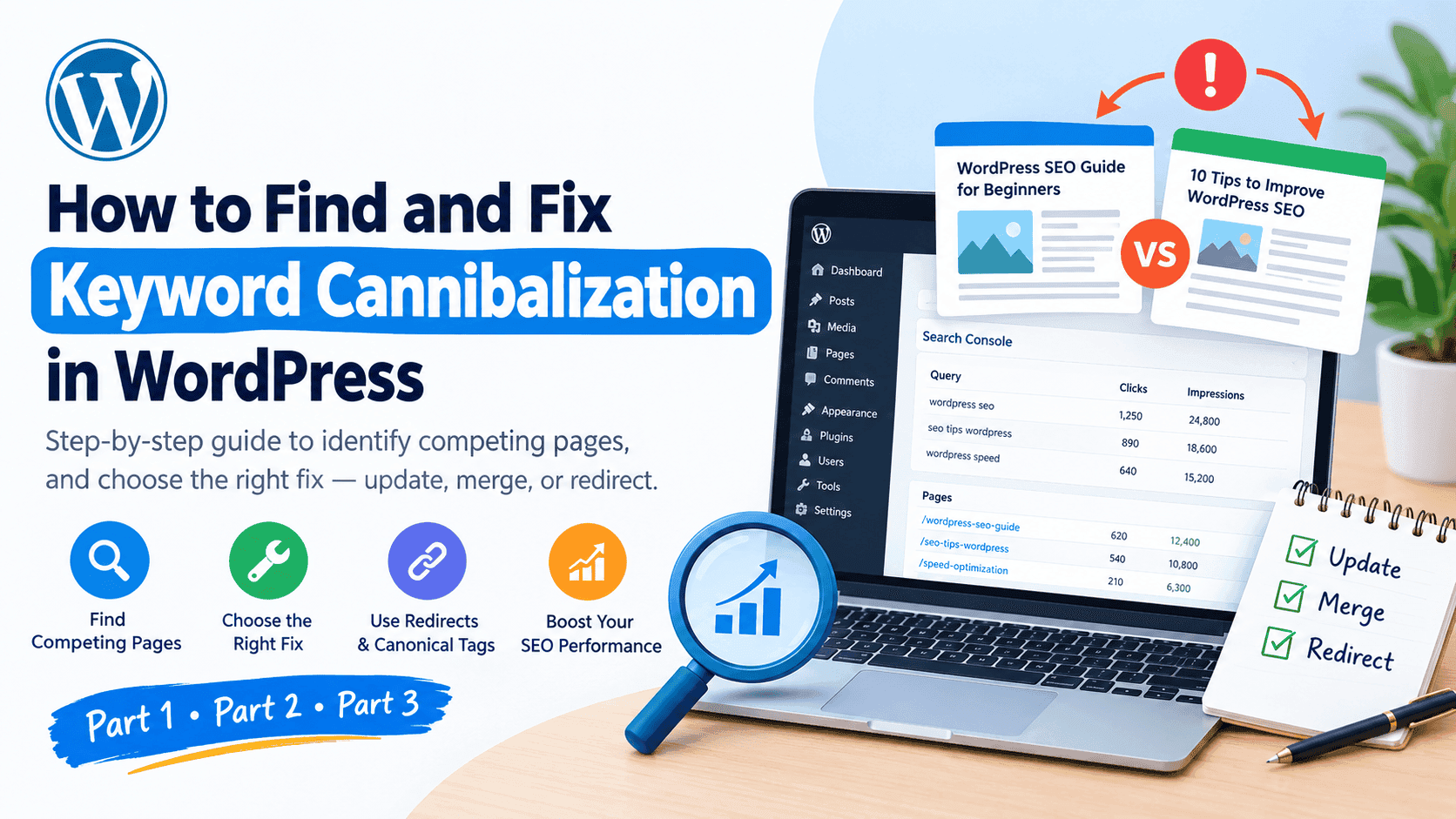
How to Find and Fix Keyword Cannibalization in WordPress
Part 1: Understand the Problem Before Fixing It
1. What Is Keyword Cannibalization in WordPress?
Imagine you have a WordPress website with two blog posts:
How to Improve WordPress SEO
Best WordPress SEO Tips for Beginners
Both articles discuss almost the same topics, target similar search queries, and provide nearly identical advice. Google now has to decide which page is the better result for a particular search.
This situation may indicate keyword cannibalization.
Keyword cannibalization happens when multiple pages on your website target the same or very similar search intent, potentially competing with one another in search results. Instead of having one strong, comprehensive page for a particular purpose, you may have several pages with overlapping information.
However, there is an important distinction: two pages targeting the same keyword do not automatically mean you have a cannibalization problem. Google can rank multiple pages from one website for the same search. The real concern is whether your pages overlap unnecessarily and whether that overlap is harming your organic performance.
For example, a WordPress website might have separate articles about:
How to install WordPress
How to install WordPress on Hostinger
How to install WordPress locally on a computer
These topics share similar words, but they serve different needs. Keeping them separate can make sense because the reader’s goal changes in each case.
On the other hand, two articles explaining the same installation process for the same audience may be unnecessarily competing for attention.
If you’re already organizing your website around related topics, your guide to building content clusters can help you plan the relationship between your main articles and supporting content.
The goal is not to eliminate every similar keyword. It’s to make sure each important page has a clear purpose.
2. Why Keyword Cannibalization Can Hurt Your SEO
When several pages target almost identical search intent, you may create confusion for both your readers and your content strategy.
Here are four possible problems.
1. Your rankings may fluctuate between pages.
Suppose your article about WordPress speed optimization ranks on page one, but after publishing another article covering nearly identical advice, Google begins showing the newer page instead.
The URL appearing in search results may change over time. This isn’t proof of cannibalization by itself, but it is a reason to investigate if your traffic or rankings also deteriorate.
2. Backlinks and internal links may be divided between pages.
Imagine that some websites link to your first article while others link to your second article, even though both provide substantially the same information.
Your internal links may also send mixed signals if different pages are used interchangeably for the same topic. Reviewing these links can help you determine whether one page should be the primary resource.
3. Visitors may land on the wrong page.
A user searching for a complete WordPress SEO tutorial might land on a short article that covers only a few basic tips. Meanwhile, your more comprehensive guide may be less visible.
That mismatch can make the visitor’s experience worse, even if the page itself is well written.
4. You may waste time maintaining duplicate content.
Updating two articles that contain almost the same information takes more time than maintaining one useful resource. It can also make it harder to decide which article needs new examples, screenshots, or updated advice.
Google’s documentation on consolidating duplicate URLs explains how Google handles duplicate and very similar pages. This is useful background when deciding whether multiple URLs need technical or content-level attention.
Remember, cannibalization does not automatically trigger a Google penalty. The objective is to improve the clarity, usefulness, and performance of your content—not to merge pages simply because their keywords look similar.
3. How to Identify Keyword Cannibalization in WordPress
You don’t need an expensive SEO tool to begin investigating this issue. Google Search Console is a good starting point because it provides actual search performance data for your website.
Follow these steps.
Step 1: Open Google Search Console.
Visit Google Search Console and select the property for your website.
Open Performance → Search results.
Choose a date range long enough to identify meaningful patterns. Comparing the latest three months with the previous three months can be a useful starting point, although seasonal websites may require a year-over-year comparison.
Step 2: Find a query that matters.
Click the Queries tab and look for a keyword that is important to one of your pages.
For example, you might investigate:
WordPress SEO tips
WordPress website speed
SEO content strategy
How to optimize WordPress pages
Select a query that appears relevant to more than one of your articles.
Step 3: Open the Pages tab.
Click the query to filter the report, then open the Pages tab.
Check which URLs received impressions and clicks for that search query.
If two or more URLs appear, don’t immediately assume something is wrong. Google may consider both pages useful for different aspects of the search.
Instead, investigate further:
Do the pages answer the same question?
Are their headings and main sections almost identical?
Are they intended for the same audience?
Does one page consistently perform better for the intended query?
Did the pages’ performance change after another similar article was published?
Step 4: Compare performance over time.
Review impressions, clicks, click-through rate, and average position. Check whether the pages’ visibility changed around the same time.
For example, if one URL loses clicks while another URL gains them for the same query, the change might indicate that Google is switching between pages. But it could also reflect seasonality, ranking changes, or differences in search demand.
Look for a consistent pattern rather than making a decision based on one report.
Step 5: Compare the actual content.
Open both URLs and compare their purpose, search intent, structure, and level of detail.
A spreadsheet can help you record each page’s URL, target keyword, intended audience, clicks, impressions, and recommended action.
For a broader content review, you can also use the approach in How to Fix Old Blog Posts Losing Traffic. The same review process can reveal outdated articles, overlapping sections, and opportunities to improve existing content.
4. A Real-World Example: Two Articles Competing for the Same Topic
Let’s imagine you run a website offering WordPress and SEO services.
You publish these two articles:
Article A: How to Improve WordPress Website Speed
Article B: 10 Tips to Make Your WordPress Website Faster
Initially, both articles attract visitors. Over time, you notice that they cover the same caching plugins, image compression techniques, hosting recommendations, and performance tests.
You open Google Search Console and discover that both URLs receive impressions for several of the same speed-related queries.
What should you do?
First, compare their search intent and performance. If one article targets a genuinely different audience or provides a distinct solution, you may be able to keep both and make their purposes clearer.
But if they substantially duplicate each other, you have three possible options:
Update: Keep both articles but differentiate their purpose and content.
Merge: Combine the strongest, most useful information into one comprehensive article.
Redirect: If one URL is no longer needed after merging, redirect it to the most relevant surviving page.
Don’t delete an article just because it receives fewer clicks. Check its backlinks, traffic history, unique information, and potential value before deciding.
This principle also applies to newer SEO topics. For example, your article on how query fan-out is changing SEO can support a broader content strategy, but it should not become a duplicate of another article that already answers the same question.
The key is to give each page a clear job.
In Part 2, we’ll look at how to choose the right page to keep, when to merge articles, how to handle redirects and canonical tags, and how to prevent new keyword cannibalization as your WordPress website grows.
Part 2: Practical Ways to Fix Keyword Cannibalization
5. Decide Which Page Should Rank for Your Target Keyword
Once you identify pages that may be competing for the same search intent, your next step is to decide what role each page should play.
Don’t automatically keep the newest article or delete the one with fewer clicks. Make your decision using evidence.
Start by comparing these factors:
Search intent: Which page best answers what people are actually looking for?
Organic performance: Which URL earns relevant clicks and impressions?
Backlinks: Has either page earned links from other websites?
Content quality: Which page offers the most useful, accurate, and complete information?
Unique value: Does either article contain examples, instructions, or insights that the other lacks?
Imagine your WordPress website has these two articles:
WordPress SEO Guide for Beginners
How to Improve SEO on a WordPress Website
If both cover the same beginner-level steps, one comprehensive guide may serve readers better than two overlapping articles.
However, if the first explains SEO fundamentals and the second provides an advanced technical audit, keeping both could be the better decision.
Create a simple content inventory before making changes. Record each URL, its main topic, target audience, performance, and recommended action.
You can also organize your existing articles using your guide to building content clusters. This helps you identify which page should be the main resource and which pages should cover narrower, genuinely different questions.
The rule is simple: choose pages according to their purpose and value, not merely because their keywords look similar.
6. Merge Similar Articles Without Losing Valuable Content
Merging is often the most practical option when two articles answer essentially the same question.
Suppose you have published:
How to Improve WordPress SEO
WordPress SEO Tips for Small Websites
Simple WordPress SEO Tricks for Beginners
After reviewing the articles, you discover that most sections repeat the same advice about titles, meta descriptions, internal links, image optimization, and XML sitemaps.
Instead of maintaining three nearly identical posts, you could combine their strongest material into one useful guide.
Here’s a sensible process.
Step 1: Identify the strongest article.
Choose the page that best matches the main search intent and has the strongest overall value. Consider traffic, backlinks, content quality, and URL history rather than relying on a single metric.
Step 2: Review both articles carefully.
List the unique points from each page. Preserve valuable examples, useful explanations, original screenshots, and sections that answer questions the main article doesn’t yet cover.
Don’t simply paste three articles together. Remove repetition and reorganize the material so the final guide reads naturally.
Step 3: Improve the surviving article.
Update outdated information, improve the introduction, add missing steps, and organize headings logically. Make sure the article answers the reader’s main question without unnecessary repetition.
For example, if you merge two WordPress SEO tutorials, the final article might include keyword research, on-page SEO, technical checks, and a practical optimization checklist.
Step 4: Redirect the retired URL when appropriate.
If one article is being permanently replaced by another, set up a permanent 301 redirect from the old URL to the most relevant surviving page.
In WordPress, you may be able to manage redirects through your SEO plugin or a dedicated redirect plugin. Check your current setup before installing another plugin.
Step 5: Update internal links.
Find internal links pointing to the retired URL and update them to point directly to the new destination wherever possible. This creates a clearer path for visitors and helps search engines discover your preferred page.
Your existing article about old blog posts losing traffic is relevant here because content audits often reveal opportunities to refresh, consolidate, or redirect older material.
Important: Only merge articles when the final page genuinely satisfies the intent of the original pages. If the topics are meaningfully different, keep them separate.
7. Understand Canonical Tags, Redirects, and Internal Links
Not every case of overlapping content requires a redirect. Different technical solutions serve different purposes.
When should you use a 301 redirect?
Use a permanent redirect when an old URL is being retired and users should be sent to a relevant replacement.
Example:
example.com/old-wordpress-seo-guide/
redirects to:
example.com/wordpress-seo-guide/
This is appropriate when you’ve consolidated the old article into the new one and no longer need the old URL to function as a separate page.
Don’t redirect every underperforming article to your homepage. A redirect should lead to a genuinely relevant destination.
When should you use a canonical tag?
A canonical tag tells search engines which URL you prefer to treat as the primary version among duplicate or very similar pages.
For example, if your website serves essentially the same content through multiple URL variations, a canonical tag can help indicate the preferred URL.
However, canonical tags are not a general fix for keyword cannibalization. If two articles target different search intents, they may deserve separate URLs. If one article is permanently replaced by another, a redirect may be more appropriate.
Google explains these distinctions in its official guide to consolidating duplicate URLs.
How do internal links help?
Internal links help visitors and search engines understand the relationship between your pages.
Imagine your website has a main WordPress SEO guide and a supporting article about image optimization. Link from the main guide to the image article where readers need more detail, using descriptive anchor text.
Your existing guide on optimizing website images for AI and visual search can serve as a supporting resource when discussing image SEO.
The same principle applies to your content about query fan-out and modern SEO: link to it when explaining related search queries, but don’t force the link into an unrelated section.
Internal links alone won’t automatically fix competing pages. They work best alongside clear page purposes, useful content, and appropriate technical changes.
8. Prevent Keyword Cannibalization Before Publishing New Articles
Fixing old content is useful, but preventing unnecessary overlap saves time in the long run.
Before writing a new blog post, take a few minutes to check your existing content.
Search your own website first.
Use Google to search:
site:yourdomain.com your target topic
For example:
site:hafeezdigitalstudio.com WordPress SEO
This can help you discover existing pages that may already cover the topic. Search results are not a complete inventory, so also review your WordPress posts and Search Console data.
Give every article a clear purpose.
Before drafting, write one sentence explaining what the article will help the reader accomplish.
For example:
Main guide: Learn the fundamentals of WordPress SEO.
Supporting guide: Improve image loading speed on a WordPress website.
Troubleshooting guide: Diagnose why a WordPress page is not indexed.
These topics are related, but each has a distinct purpose.
Build a content map.
Use a spreadsheet to record your main topics, supporting articles, target intent, and existing URLs. This makes it easier to spot accidental duplication before publishing.
If you want to expand a topic into several useful articles, your guide to building content clusters can help you plan those relationships.
Avoid publishing a new article just to target a keyword variation.
Changing a title from “WordPress SEO Tips” to “SEO Tips for WordPress” does not necessarily create a new topic. If the intended reader and the answer are essentially the same, improving your existing article may be more useful than publishing another.
Finally, review your content periodically. Search intent changes, products get updated, and older articles can become redundant. A regular audit helps you keep your website organized as it grows.
Part 3: Your Action Plan, Common Mistakes, and FAQs
9. A Practical WordPress Keyword Cannibalization Audit
You now understand how keyword cannibalization works and how to fix it. Let’s turn that knowledge into a repeatable process you can use on your own website.
You don’t need to audit every URL in one sitting. Start with the pages that matter most to your business.
Step 1: Choose a group of important pages.
Start with 10–20 blog posts or service pages that target related topics. If your website is larger, prioritize pages with declining traffic, overlapping subjects, or inconsistent search performance.
For a WordPress and SEO website, you might review articles about technical SEO, content optimization, website speed, and keyword research.
Step 2: Export your search performance data.
Open Google Search Console and navigate to Performance → Search results.
Review the queries and pages receiving impressions and clicks. Export the data if you want to compare multiple URLs in a spreadsheet.
Look for queries where several pages appear, especially when their content serves the same intent. Remember that multiple URLs appearing for one query is a starting point for investigation, not proof of a problem.
Step 3: Compare pages side by side.
Create a spreadsheet with these columns:
| URL | Main topic | Search intent | Performance | Action |
|---|---|---|---|---|
| Article A | WordPress SEO basics | Beginner guide | Strong | Keep and improve |
| Article B | WordPress SEO tips | Similar beginner guide | Overlapping | Review for merging |
| Article C | Technical WordPress SEO | Technical troubleshooting | Different | Keep separate |
These are illustrative examples, not actual performance data from your website.
Step 4: Decide on the appropriate fix.
For each pair of pages, choose one of four actions:
Keep: Both pages answer meaningfully different questions.
Update: Clarify the page’s purpose and improve missing information.
Merge: Combine substantially overlapping articles into one stronger resource.
Redirect: Send a retired URL to the most relevant replacement when appropriate.
Don’t make the decision based on rankings alone. Consider backlinks, historical traffic, unique content, and the value each page provides.
Step 5: Strengthen your internal links.
After making changes, update links from related articles to the most relevant destinations. Check menus, category pages, and contextual links where applicable.
For example, an article about content planning could link to your guide on building content clusters when explaining how to organize related topics.
Step 6: Monitor the results.
Record the date of each change. Review Search Console over the following weeks and months, comparing clicks, impressions, relevant queries, and the performance of the surviving page.
There is no guaranteed recovery timeline. Search engines need to recrawl and reassess pages, and rankings may change for reasons unrelated to your edits.
The aim is to make your content more useful and easier to understand—not simply to reduce the number of URLs on your website.
10. Common Keyword Cannibalization Mistakes to Avoid
Even experienced website owners can make unnecessary changes when they discover overlapping keywords. Avoid these mistakes.
Mistake 1: Merging every article with a similar keyword
Two articles can use similar wording and still answer different questions.
For example, a beginner’s WordPress SEO tutorial and a technical guide to fixing indexing problems have different purposes. Merging them could make both topics harder to understand.
Always compare search intent before taking action.
Mistake 2: Deleting a page because it receives little traffic
Low traffic doesn’t automatically mean a page is useless. It may serve a narrow audience, attract valuable referral traffic, support another article, or have earned useful backlinks.
Review its purpose and history before deleting it.
Mistake 3: Using canonical tags as a shortcut
Canonical tags are intended to identify a preferred version among duplicate or very similar URLs. They are not a universal solution for two distinct articles competing for search visibility.
Follow Google’s guidance on consolidating duplicate URLs before changing canonical settings.
Mistake 4: Redirecting old articles to unrelated pages
A redirect should take visitors to a relevant replacement. Redirecting an old article to an unrelated service page or homepage can create a poor user experience.
If there is no suitable replacement, evaluate whether the page should remain available or be retired without a misleading redirect.
Mistake 5: Rewriting titles without improving the content
Changing two similar titles may make them look different, but it doesn’t solve the underlying problem if both pages still answer the same question.
Differentiate the content by purpose, audience, and information—not just wording.
Mistake 6: Publishing articles for every small keyword variation
A growing blog doesn’t need a separate post for every variation of a phrase. Sometimes, one well-structured guide can answer several closely related questions.
When expanding a topic, consider how each proposed article fits into your existing content. Your article on how query fan-out is changing SEO provides useful context for understanding related questions, but it doesn’t mean every related query needs its own URL.
Mistake 7: Ignoring people-first content
SEO improvements should make a page more useful, accurate, and satisfying for its intended audience. Google’s guidance on creating helpful, reliable, people-first content is a useful standard when deciding whether to improve an existing article or publish a new one.
A smaller collection of genuinely helpful, clearly differentiated pages can be more useful than a large collection of repetitive articles.
11. Your Keyword Cannibalization Checklist
Use this checklist whenever you audit your WordPress website.
Identify important pages covering similar topics.
Review actual queries and URLs in Google Search Console.
Compare the search intent of potentially competing pages.
Check clicks, impressions, backlinks, and historical performance.
Identify unique information worth preserving.
Keep pages that serve distinct purposes.
Update articles that need clearer focus or better information.
Merge articles only when their content and intent substantially overlap.
Add a relevant 301 redirect when permanently retiring a replaced URL.
Use canonical tags only when appropriate for duplicate or very similar URLs.
Update internal links after consolidating content.
Record changes and monitor performance over time.
Review new article ideas against your existing content before publishing.
You can use this checklist during a monthly or quarterly content review, depending on the size and publishing frequency of your website.
12. Frequently Asked Questions About Keyword Cannibalization
It describes a situation where multiple pages on a WordPress website target the same or closely related search intent and may compete unnecessarily for visibility. Similar keywords alone do not prove that a problem exists.
Start with Google Search Console. Filter the Performance report by a relevant query, then inspect the Pages tab to see which URLs received impressions and clicks. Compare the actual content and search intent before deciding whether to make changes.
Not automatically. It is generally a content and search-performance issue rather than a standalone penalty. However, unnecessary duplication can make your content strategy less effective and may create a confusing experience for readers.
Not without reviewing it first. If both pages offer different and useful information, keep them separate. If they substantially duplicate one another, consider updating or merging them and redirecting the retired URL when appropriate.
It can help when you consolidate overlapping content into a stronger page that better satisfies the intended search. However, ranking improvements are not guaranteed. The outcome depends on content quality, search intent, competition, technical implementation, and other ranking factors.
There is no fixed timeline. Results depend on when search engines recrawl the changed pages and reassess them, as well as broader search conditions. Monitor trends over several weeks or months instead of expecting an immediate change.
Rank Math can help with certain SEO tasks, such as managing titles, metadata, and canonical settings. However, identifying whether two articles truly compete for the same search intent requires reviewing your content and performance data. A plugin cannot make every strategic content decision for you.
A quarterly review is a reasonable starting point for many websites. Sites publishing frequently or experiencing major traffic changes may benefit from more frequent checks.
Final Thoughts
Keyword cannibalization is not a reason to delete every article that shares a keyword with another page. It’s an opportunity to understand your content more clearly and ensure each URL serves a meaningful purpose.
Start with Google Search Console, compare pages that appear to overlap, and examine the questions they answer. Keep distinct articles separate, improve pages that need a clearer focus, and consolidate genuine duplicates only when doing so benefits the reader.
For your WordPress website, the best long-term approach is to create a connected collection of useful content where every article has a clear role. When readers can easily find the right answer—and search engines can understand how your pages relate—you build a stronger foundation for sustainable SEO.